
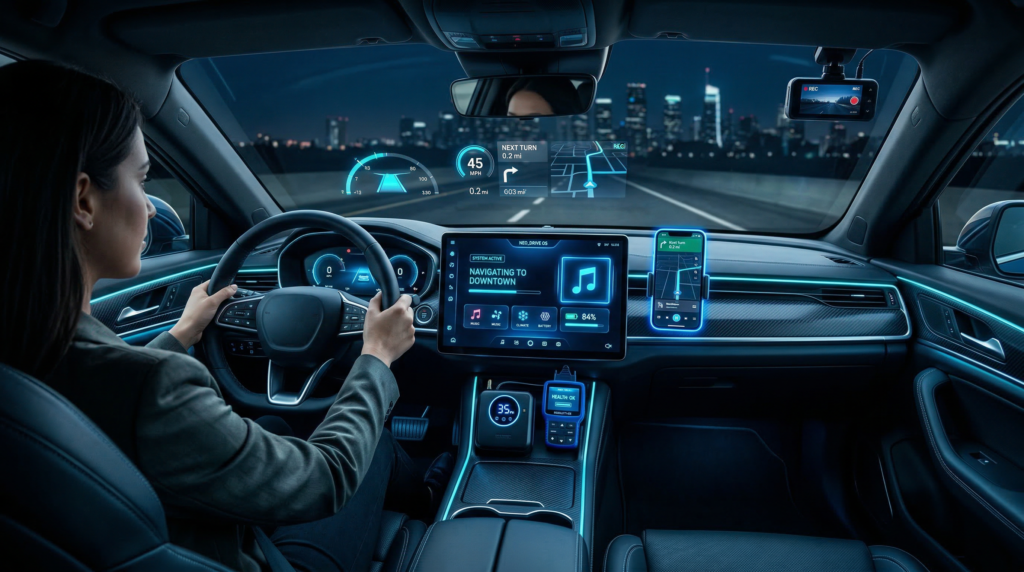
Modern vehicles are becoming smarter every year, but the right tech gadgets can take your driving experience to an entirely new level. From improving safety and convenience to enhancing entertainment and connectivity, today’s car tech accessories are designed to make every journey smoother and more enjoyable. Whether you’re a daily commuter, a road trip enthusiast, or someone who simply loves upgrading their vehicle, investing in the right gadgets can transform your car into a high-tech driving hub. In this article, we’ll explore the Top 10 must-have car tech gadgets that every driver should consider to boost comfort, safety, and functionality while on the road.
1. Dash Cams
What it is: A dash cam is a small in-car video camera that attaches to the windscreen and continuously records your drive. It can capture accidents or incidents on the road for evidence and peace of mind.
Key Features: High-resolution recording (often 4K), wide-angle lenses, night/low-light performance, loop recording (old footage overwrites), G‑sensor impact detection, built-in GPS/speed logging and even driver alerts (e.g. lane departure or speed-camera warnings). Models may be one-channel (front only) or dual-channel (front and rear).
Top Models (UK prices):
- Miofive S1 – 4K@30fps, 160° view, £69.99 (body only, SD card extra). Pros: Very affordable, rich features (speed‑camera warnings, colour screen). Cons: Larger size, needs optional polarizing filter (£19) for glare reduction.
- 70mai A810 – 4K@60fps, HDR, £149.99 (no SD). Pros: Extremely clear day/night footage with 60fps capability, advanced “HDR” image processing. Cons: 150° lens causes some fisheye distortion, pricier than basic models.
- Viofo A329 – 4K@60fps (front) + 1080p (rear), £299 (no SD). Pros: Best video quality tested – 4K60 with polariser for ultra-sharp images even on fast roads. Supports optional rear camera (2K). Cons: Very expensive especially with accessories (can exceed £500 fully kitted).
- Honourable mentions: Kenwood DRV510 (£119 inc. 32GB SD) is a tiny 2K camera (palm-sized, easily hidden), and budget dual-channel cams (e.g. Iiwey D2-Pro, Redtiger F7NP) offer 4K front + 1080p rear at ~£90–£100.
Ideal Use: All drivers benefit from having a dash cam for insurance evidence and security. A budget cam (like the Miofive) is great for everyday commuting, while a high-end cam (Viofo) suits tech-savvy drivers who want the best footage. Long-distance or ride-share drivers should consider dual-channel sets.
Installation/Compatibility: Mount on windscreen (adhesive or suction). Power via USB adapter or hardwire kit (for parking mode). Check if your car’s dashboard has a 12V outlet or USB for constant power. Most dash cams work worldwide, but ensure the car is 12V (not 24V trucks).
SEO Keywords: best dash cam UK, 4K dash cam, dual channel dash camera, cheap car DVR.
2. OBD-II Scanners
What it is: An OBD-II scanner plugs into the car’s OBD (On-Board Diagnostics) port (standard on UK cars since 2001) to read and clear engine/motor codes and view real-time data. It’s like a health monitor for your car’s computer.
Key Features: Display or Bluetooth interface, reads trouble (DTC) codes, clears engine warning lights, real-time data (RPM, fuel trims, etc), and sometimes advanced features (live dashboards, service resets, coding). Two main types: wired handheld units (with their own screen) and Bluetooth/Wi-Fi dongles paired to a smartphone app.
Top Models (UK):
- Temu Professional OBD2 Scanner – Basic wired unit, ~£10. Pros: Extremely cheap and easy for code reading/clearing. Good for old cars. Cons: Small LCD, basic menus (autoexpress found it “difficult to fault” for basics).
- Ancel BD310 – Wired with colour display + Bluetooth (works with Android/iOS app), ~£69 (often on sale at £60). Pros: Best of both worlds – standalone code reader or app-connected; shows live data like acceleration/braking effects on fuel. Cons: No screen brightness control, but includes mount and lifetime support.
- Carly Universal Scanner – Bluetooth dongle with proprietary app, ~£75+ (app subscription for full features). Pros: Slick smartphone interface, detects historical and current faults, can access hidden features (e.g. coding), check battery health, even detect mileage rollback. Cons: Requires iOS/Android smartphone, ongoing subscription for advanced functions.
- Veepeak Mini – Bluetooth dongle, ~£17. Pros: Very cheap, tiny (fits glovebox), compatible with many generic apps (Torque, DashCommand). Cons: No dedicated app, iOS incompatible, only basic code reading.
Ideal Use: A great DIY gift for any car owner. A simple dongle suffices for reading engine codes at home. Mechanics or enthusiasts may prefer a full unit (Ancel) or app-based tool (Carly) for deeper diagnostics. Prioritize iOS support (Carly or Ancel) if you use iPhone.
Installation/Compatibility: Plug into the OBD-II port (usually under the dashboard). Most cars (petrol since 2001, diesel since 2004) are OBD-II compatible. For Bluetooth models, install the app on your phone. Ensure only one device is connected at a time to avoid conflicts.
SEO Keywords: best OBD-II scanner UK, Bluetooth OBD reader, car diagnostic tool, OBD fault code reader.
3. Heads-Up Displays (HUDs)
What it is: A HUD projects driving data (speed, nav directions, etc.) onto a transparent screen or windscreen film in your line of sight. This means you can see important info without looking down at gauges or a phone.
Key Features: Many HUDs show speed, engine RPM, compass, trip data. They may connect via OBD2 (real vehicle metrics) or GPS/Bluetooth (speed only) or a mix. Some plug into the cigarette-lighter and use built-in GPS; others attach to the OBD port. Higher-end HUDs (like Navdy) add navigation arrows and phone alerts.
Top Models (UK):
- Hudway Drive – ~£250. Pros: Advanced AR navigation (projects arrows/turn prompts) on a clear screen. Bluetooth/USB-C connection to phone (Android/iOS). Lightweight and works in bright sunlight. Cons: Expensive, offers nav overlay but no direct engine data (no OBD hookup).
- Pyle PHUD18 – ~£80. Pros: Classic HUD style (gold-tinted reflective screen). Plugs into OBD2 to display speed, RPM, coolant temp, battery volts, etc. No smartphone needed. Very good value. Cons: No GPS/nav, so only performance data; some metrics unsupported on very old cars.
- Garmin HUD+ – ~£120. Pros: Uses Garmin’s app to overlay navigation, speed and lane hints onto a transparent film. Clean UI and accurate Garmin maps. Cons: Works only with Garmin StreetPilot app; shows only nav/speed (no engine data).
- ACECAR T800 – ~£55. Pros: Dual-mode OBD/GPS. If no OBD2 port (like older vans), it falls back to GPS speed. Shows speed, compass, trip time, etc.. Very cheap. Cons: Basic display (flickers in bright sun), no smartphone connectivity.
- Navdy (Refurb) – ~£150 refurbished. Pros: Luxury HUD – gestures, smartphone notifications (calls/text), full nav display. Cons: Discontinued (no official support), setup can be tricky.
Ideal Use: Great for motorway commuters and safety-conscious drivers. Use an OBD2 HUD (Pyle or ACECAR) to see your engine data at a glance. For built-in navigation display, a Bluetooth HUD (Hudway or Garmin) is better. Always ensure it doesn’t block your view (follow local MOT rules).
Installation/Compatibility: Plug into OBD2 (if required) or use 12V socket. Stick the transparent film to your windscreen (if applicable) or attach the unit. Many need power via USB adapter. Check that OBD2 port exists (pre-2001 cars won’t support OBD2-based HUDs).
SEO Keywords: best HUD car UK, heads-up display navigation, OBD HUD device.
4. Bluetooth Audio Adapters
What it is: A small gadget that adds Bluetooth streaming or hands-free calling to a car stereo without built-in Bluetooth. It can be an AUX/FM transmitter or even a full voice assistant device.
Key Features: Connects to your phone wirelessly and outputs to the car via the 3.5mm aux jack or FM radio frequency (for stereo head units without aux). Some are pure audio adapters; others (like Echo Auto) bring voice assistants (Alexa/Google) into the car. They often have built-in rechargeable batteries and may include USB charging ports or controls.
Top Models:
- Amazon Echo Auto 2 – ~£50. Pros: Not just audio – adds Alexa to ANY car. Hands-free voice control of music, navigation and smart home. Uses car’s speakers via Bluetooth or aux. Cons: Requires Wi-Fi hotspot on your phone for Alexa; relatively bulky design. Great if you want a virtual assistant in your car.
- Anker SoundSync A3352 – ~£20. Pros: Simple plug-in Bluetooth adapter with 3.5mm jack. Plug into car aux or headphone port; pairing takes seconds. Good sound quality. Includes battery (~12h) and USB-C power pass-through. Cons: No extra features (buttons are small).
- UGreen Bluetooth Adapter – ~£15–£20. Pros: Similar concept as Anker but with a larger body and buttons. Can play music and charge phone simultaneously via USB-C. Longer cables for flexible placement. Cons: Slightly bulkier due to bigger battery.
- Other types: FM transmitters (e.g. Lencent) broadcast to a free FM frequency – useful if no aux input, but subject to radio interference. Also look for Bluetooth FM kits with dual USB charging for added value.
Ideal Use: If your car stereo only has an aux or cigarette-socket input, a Bluetooth adapter is a quick fix for streaming and hands-free calls. The Echo Auto is great for voice controls (e.g. “call home”, “play jazz”), while simpler dongles (Anker/UGreen) are nearly invisible and plug straight into aux. Use Qi2-compatible models for the newest phones.
Installation/Compatibility: Choose plug-in (AUX) if you have an aux or headphone jack. If not, get an FM transmitter to broadcast to car radio. Ensure your phone supports the needed Bluetooth profile (most do). For Alexa devices, you’ll need a smartphone data connection.
SEO Keywords: Bluetooth car adapter UK, hands-free Bluetooth kit, AUX Bluetooth adapter, Echo Auto review.
5. Tyre-Pressure Monitoring Systems (TPMS)
What it is: An aftermarket TPMS monitors your tyre pressures and alerts you if any tyre gets low. This promotes safety and fuel efficiency. TPMS gadgets come in two types: direct (sensor valves on each tyre) or indirect (using ABS sensors or external sensors).
Key Features: Direct TPMS: Pressure sensors screw onto or replace each tyre valve and transmit wirelessly to a dashboard display. Indirect TPMS: Monitors wheel speed/rotation or uses a single sensor in one tyre hub (less common). Direct systems often include pressure and temperature readings, with alarms for under-inflation.
Top Models: (Prices UK/€)
- Steelmate TP-S1i – Internal direct system, ~£150. Pros: Award-winning kit; sensors inside the tyres, very accurate and reliable. Cons: Professional installation required (tyre removal).
- Michelin Tyre Pressure Mgmt System – External screw-on caps, £79.95. Pros: Easiest DIY (screw-on to each inflated tyre); includes a dashboard receiver with alert. Good quality brand. Cons: External caps can be stolen or damaged, accuracy slightly lower than internal.
- TyrePal Solar TPMS – Internal direct, ~£99. Pros: Internal sensors powered by tyre pressure (no batteries to replace); solar-powered dashboard display (no wires). Cons: Still requires tire-fitting shop to install inside tires.
- Other Options: External devices like Michelin TPMS Expert (~£120) have screw-on sensors and a car display. Smartphone apps (like TireMinder) with a single ABS-mounted sensor exist, but less precise.
Ideal Use: Direct TPMS is ideal for frequent drivers (e.g. taxi, long-distance) and anyone who wants precise real-time data. External sensors or cap-type systems suit DIYers for a quick fix. It’s especially useful on cold mornings or long trips (tyre pressure drops in cold or flat tires).
Installation/Compatibility: External: Just screw on to each tyre valve (self-install). Internal: Must be fitted by a tyre specialist (tyres off the rim). Check sensor battery life (often ~5–10 years). Ensure display unit fits on dash (some are wired, others solar-powered).
SEO Keywords: best TPMS UK, aftermarket tyre pressure monitor, tyre sensor kit, tyre pressure gauge system.
6. Portable Jump Starter
What it is: A rechargeable battery pack designed to jump-start a car without needing another vehicle. Often includes USB ports and LED lights for extra functionality.
Key Features: High-amp lithium batteries (1000–4000A jump current), often with clamps for battery terminals. Some kits include integrated cables for phone charging and built-in flashlight or air compressor. Safety features (reverse polarity alert, spark proof) are common. Capacity is measured in Amp-hours (Ah) or peak amps.
Top Models:
- MSC Overland 10Ah – ~£90. Pros: Awarded “best all-rounder” by Auto Express. Good balance of size and power. Includes QC3.0 USB port. Cons: Lower peak amps (~800A) so not for very large engines.
- Gooloo GP4000 – ~£80. Pros: 24Ah pack, 4000A peak current. Very powerful (can jump large petrol/diesel engines multiple times). Cons: Heavy (4kg) and bulky, and doesn’t have the most advanced protections.
- Nebo Assist 800 – £99.99. Pros: Smart “boost” box with LCD, LED light and smartphone-matching USB ports. Compact (8.1Ah, 800A) with good grip design. Cons: Lower capacity.
- Honourable mention: NOCO Boost Plus GB40 (~£80) – very popular, compact, 1000A (not in our sources but widely sold).
Ideal Use: All car owners should have one. A jump starter is a lifesaver for dead batteries in winter or after lights were left on. Smaller packs (8–10Ah) are fine for most petrol engines; Diesel engines or multiple start-ups need larger (20+Ah) units like the Gooloo. Also great for outdoor activities (charge phone, run a fan, etc.).
Installation/Compatibility: No installation – just store in boot or garage. To use, clamp to battery terminals following instructions. Many have smart clamps that turn off when disconnected. Keep it charged (most recommend recharging every 6 months).
SEO Keywords: best jump starter UK, portable battery pack, jump start car battery.
7. Handheld Car Vacuum
What it is: A small, portable vacuum cleaner (cordless or corded) for cleaning a car’s interior – carpets, upholstery, and hard-to-reach nooks.
Key Features: Typically lightweight and handheld, with various nozzle attachments (crevice tool, brush head). Cordless models run on rechargeable batteries (12–55 minutes runtime). Suction power (measured in air watts or kPa), dust capacity, and filter type (HEPA filters for dust) vary by model. Some come with car-charging cables.
Top Models:
- Miele Triflex HX1 CarCare – £369. Pros: Best-in-class vacuum with 55min runtime, special car-cleaning accessories. Excellent suction for deep cleaning. Cons: Very expensive (premium appliance).
- Dyson V7 Car+Boat (Handheld) – ~£200 (not cited, but known). Pros: Strong suction, accessories for cars/boats. Cons: Expensive, battery life ~30min.
- Stihl SEA 20 – ~£150. Pros: Corded with long nozzle for corners; fits in trunk; around 20min runtime. Cons: Bulkier, cord limits reach.
- Quest Car Vacuum – £22.99. Pros: Very cheap, compact. Cons: Weaker suction, small bin (need frequent emptying). Useful for quick tidies.
- Gtech Multi Platinum – £249.99. Pros: Handheld motorbike/home vacuum; strong 70W motor; long battery. Cons: Large and pricey for only car use.
Ideal Use: Anyone who keeps a clean car – parents (crumbs, dirt), pet owners (fur), or detailing enthusiasts. Cordless models are easiest (no power cord), but corded have unlimited runtime. For regular maintenance, a cheap handheld like Quest suffices; for deep cleaning, a high-power model (Miele/Dyson) is worth it.
Installation/Compatibility: No installation needed. Corded models plug into 12V socket or mains. Cordless charge from car or wall. Check if attachments are included (brush, extension). Ensure it fits under seats or in trunk for storage.
SEO Keywords: portable car vacuum, best car hoover, handheld vacuum cleaner.
8. Wireless Car Chargers
What it is: A Qi wireless charger built into a phone mount. It holds your smartphone and charges it without plugging in a cable. Many are spring-clamp mounts that automatically grip the phone when placed.
Key Features: Qi charging (typically up to 10–15W fast charge), various mounts (vent clip, dashboard, suction-windshield), automatic clamping (infrared or motorized), and some have built-in fans or cooling. Look for Qi2 compatibility for the latest phones.
Top Models:
- Baseus 15W MagSafe Vent Car Mount – ~£27. Pros: Vent mount with built-in 15W wireless charger for iPhone MagSafe or any Qi. Good charge speed (topped tests at ~40% in 30min). All-in-one design. Cons: For MagSafe iPhones only (needs metal plate for others). Firm vent grip with tightening hooks.
- Olixar 15W Wireless Car Holder (Dash/Windscreen) – ~£20. Pros: 4.5-star rated, multi-mount (windshield, dash, vent) with Qi charging pad. Cons: 15W (not MagSafe-specific), requires cable to USB port, average charging speed.
- iOttie Easy One Touch 2 (Wireless) – ~£45. Pros: Vent mount with Qi charger and CD slot mount adapter. Secure one-handed phone release. Includes USB adapter. Cons: Only 10W charging, slower than some.
- ESR HaloLock (or Spigen) – £30–£40. Pros: Fan-cooled charging for high-power phones, magnetic MagSafe compatibility. Cons: Higher price, brand-focused.
Ideal Use: If you rely on your phone for GPS or hands-free, a wireless charging mount means one less cable to fiddle with. Especially useful for Apple users (MagSafe mounts) or anyone with Qi-capable phones. Ensure your phone supports Qi fast charging.
Installation/Compatibility: Mount to air vent or dash/windscreen (with suction). Plug charger into USB-C/USB-A (prefer PD quick-charger) power outlet. Make sure your car has a 5V/9V USB power. Most mounts come with cables. For best results, remove thick cases or align properly if using MagSafe.
SEO Keywords: wireless car charger UK, Qi car mount, smartphone wireless charging.
9. Smart Phone Dash Mounts
What it is: A secure phone holder for your car – often “smart” in the sense of auto-clamping or integrated charging. These mounts keep the phone in view for navigation or hands-free use.
Key Features: Mounting points (windshield, dashboard, air vent, CD slot or cup holder). Grip mechanisms (suction cup, sticky gel pad, spring clamps, magnetic). Many “smart” mounts have auto-sensing clamps (they open/close when phone is near). Some double as wireless chargers (see above) or have rotation/swivel for landscape mode.
Top Models:
- Belkin Universal Car Mount (Glass/Dash) – as tested by Car and Driver. Pros: Twist-to-lock suction, telescopic arm for adjustability. Strong grip on windshield/dashboard, holds large phones securely. Cons: Tabs need two hands to open, but that’s minor.
- Vanmass Phone Mount (Glass/Dash) – Car and Driver pick. Pros: Single-knob tightening arms, extremely strong suction. Very easy one-handed operation. Cons: Can vibrate on very rough roads (common to suction mounts).
- iOttie Easy One Touch 4 (Vent) – Popular Qi-enabled version. Pros: Easy one-handed locking, auto-clamp, stable vent mount. Cons: Vent only, and no high-power charging.
- ESR Vent Wireless Charger – Budget wireless adapter with clamps. Pros: Affordable, has fast charging for Qi. Cons: Clamps manually and grips via vent.
- Scosche MagicMount/Pro2 – Magnetic mounts (with metal plate on phone). Pros: Very quick attachment/removal (just snap phone on magnet). Cons: You must stick a metal plate on your phone or case, and charge drop to ~7W on many Qi magnets.
Ideal Use: Anyone using the phone for maps should have a safe mount. Vent mounts are great for cooling (phone doesn’t overheat), whereas suction mounts are steadier. “Smart” auto-clamp mounts minimize distractions. Choose a mount type (vent vs dash) based on your car interior.
Installation/Compatibility: Vent mounts clip onto slats (check your car’s vent size). Suction mounts stick to glass or a flat spot on the dash (use included sticky pad for textured surfaces). CD-slot mounts use the old CD slot (for cars without screens). Check if the mount fits your phone’s size (some have adjustable width).
SEO Keywords: phone car holder, best car mount, vent phone cradle, MagSafe car mount.
Smartphone Car Mount: A secure car mount holds your phone in view (for GPS, calls, music). Many mounts now auto-grip or include chargers, so you can drive safely hands-free with one glance.
10. Radar/Laser Detectors
What it is: A radar detector listens for police radar/laser signals and alerts you to speed traps ahead. Modern devices often combine GPS databases of fixed cameras with real-time laser alerts. (Note: laser jammers are illegal in the UK – see below.)
Key Features: Sensitivity to K/Ka band radar and laser (LIDAR) signals, GPS alert database, smartphone app integration, voice alerts. Laser-detector devices pick up police LIDAR (laser) gun signals. Laser jammers actively block LIDAR (strictly illegal in UK).
Top Models: (Widely used in regions where legal)
- Road Angel Pure Sync (~£100) – Smart radar detector with GPS and 4G database updates.
- Road Angel Pure One V2.4 (~£230) – Dedicated detector with colour display and speed camera alerts.
- Note: We won’t list specific model pros/cons, since legality is complex.
Ideal Use: Drivers on remote or long highway drives may use these to avoid speeding fines. They alert well before fixed/mobile radar units. However, always drive within speed limits – detectors should be a safety aid, not an excuse to speed.
Legality: The law is nuanced. Passive radar detectors (listening only) are legal in the UK. GPS camera warnings (like in some nav apps or devices) are also legal. Active laser jammers that interfere with police LIDAR are illegal and can incur fines. If using any detector, ensure it does not obstruct your view and complies with local regulations.
SEO Keywords: speed camera detector UK, radar detector legality, LIDAR detector, Road Angel reviews.
Final Thoughts
In 2026, even budget-friendly cars can become high-tech havens with the right gadgets. Safety gadgets like dash cams and TPMS give peace of mind, while comfort items like wireless chargers and phone mounts make everyday driving easier. Enthusiasts can dig deeper with OBD scanners and HUDs, and anyone can benefit from a jump-starter or car vacuum in a pinch. The best gadget depends on your priorities (safety vs convenience vs maintenance).
FAQ
1. Are dash cams legal to use in the UK? Yes. It’s legal to record video while driving for personal use, especially for insurance claims or safety. Ensure the dash cam itself doesn’t obstruct the driver’s view (mount behind the rear-view mirror) and disable any recording of people by mistake in private areas.
2. Do all cars support OBD-II scanners? Almost all petrol cars sold in the UK since 2001 (and diesel since 2004) have an OBD-II port. Check under the driver’s side dash. Some very old or specialised vehicles may not have a standard OBD port, so the scanner won’t work on them.
3. Can I install a HUD myself? Yes. Most HUD units either plug into OBD-II or the car’s 12V socket. Non-OBD models attach via suction or adhesive film to the windshield or dash. It’s usually plug-and-play – no special wiring needed.
4. Will a wireless charger work in any car? Yes, as long as you have a power source (USB or 12V socket) and a dashboard or vent to mount it. It requires a Qi-compatible smartphone or a Qi-enabled case. Check that your car has a USB-C or USB-A port (or use a 12V-USB adapter).
5. Are radar detectors allowed in other European countries? In many EU countries (e.g. France, Germany), all speed detection devices (even if off) are banned. In the UK you can use passive detectors, but if you drive abroad, it’s safest to leave them behind to avoid fines.
6. How often should I recharge a jump starter? Even if unused, a jump starter’s charge slowly leaks. It’s best to recharge it every 3–6 months or after each use. Most have a micro-USB or similar port for charging from the car.
7. Do Bluetooth adapters drain the car battery? Most plug-in adapters draw very little current when the car’s ignition is off. Some have an on/off switch or cut off automatically. It’s good practice to unplug or switch off any accessory if leaving the car for a long time.
8. Can smartphone mounts fit any phone? Most mounts are adjustable (within a range, e.g. 4–7 inches wide) and will hold most phones, including those in bulky cases. Magnetic mounts require a metal plate on the phone or case. Always check the mount’s max phone size and weight rating.
9. Is it worth getting a professional TPMS installation? For internal sensor systems, yes. They require the tires to be removed so sensors can be attached to the valve stems. Many tyre shops offer this service. External sensor kits can be installed by yourself (screwing on valve caps).
10. What do I do if a gadget has problems? Always check the warranty and customer reviews. Buy from reputable sellers. Many gadgets have global brands with support (like Autel, Garmin, Belkin). For troubleshooting, start with the user manual or manufacturer support site. If something’s not working (e.g. scanner not reading codes, or charger not charging), verify the installation, power source, and any app settings.